
Always-On Display vs. Gesture Wake: The Trade-Off Every Smartwatch Owner Faces
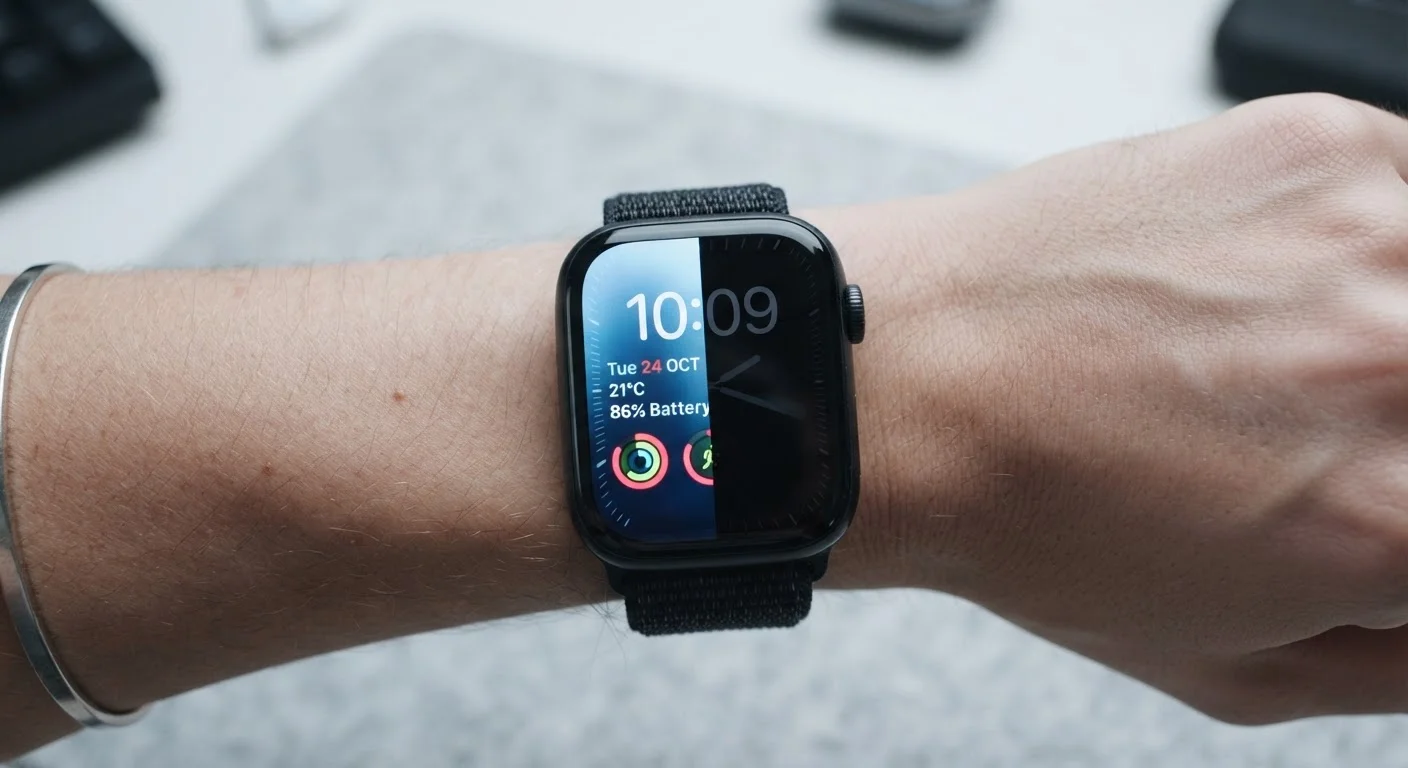
Photo credit: SmartReads.net | Simple Search, Relevant Results
In this article
Battery life versus glanceability — understanding how your display setting shapes the daily experience of wearing a smartwatch.
Key Takeaways
- Always-on displays offer instant glanceability but consistently reduce battery life by a measurable margin.
- Gesture wake conserves power well but can misfire during workouts or passive wrist movements.
- Your dominant use context - desk work, meetings, or outdoor activity - should drive this choice.
- Most modern smartwatches let you switch between modes freely, so the decision is reversible.
- Display technology (OLED vs. LTPO OLED) significantly affects how much AOD costs in battery terms.
What Each Mode Actually Does
Every smartwatch display has a default idle state. Always-on display (AOD) keeps a low-power version of the watch face permanently visible - typically showing the time, date, and select complications at reduced brightness. Gesture wake (also called raise-to-wake or wrist-raise detection) keeps the screen completely off until the accelerometer and gyroscope detect a characteristic wrist-lift motion, at which point the display activates at full brightness.
The distinction sounds simple, but it cascades into meaningful differences in daily experience. AOD relies on the display drawing a small but continuous amount of power. Gesture wake shifts that cost to sporadic, full-brightness activations - which are more power-intensive per second but far less frequent. For a deeper grounding in how these features are described across devices, the Wearable Glossary covers the underlying terminology in plain language.
| Criterion | Always-On Display | Gesture Wake |
|---|---|---|
| Glanceability | Instant, no motion required | Requires deliberate wrist raise |
| Battery impact | 10-40% more drain (hardware-dependent) | Minimal; varies with false activations |
| Reliability during workouts | Consistent regardless of wrist angle | Prone to misfires under high motion |
| Screen brightness in idle | Dimmed but always visible | Completely off until activated |
| Activation latency | Zero - display is already on | 0.5-1.5 seconds on most devices |
| Overnight sleep tracking use | Increases drain; light may disturb sleep | Preferred; screen stays dark |
| Best display technology | LTPO OLED minimises power cost | Works well on any panel type |
The Battery Math: Why the Gap Varies by Device
Not all AOD implementations are equal. Watches using LTPO OLED panels (low-temperature polycrystalline oxide) can dynamically drop refresh rates to as low as 1Hz in AOD mode, dramatically reducing the power penalty compared with standard OLED or LCD panels. On devices with this technology, the battery cost of AOD can be as low as 10-20% of daily capacity; on older or mid-range hardware, the same setting may consume 30-40% more power per day.
Gesture wake, by contrast, is almost universally efficient at preserving battery - but it introduces a different variable: false activations. During cooking, gesture conversations, or gym sessions, the display may wake repeatedly without intentional input. Each activation burns full-brightness power, and in high-motion contexts the cumulative cost can actually rival a low-power AOD. Understanding this nuance is part of setting up your device intelligently - the guide to configuring a wearable for your routine covers how to tune sensitivity settings where supported.
1Hz
Minimum AOD refresh rate on LTPO panels
LTPO OLED technology, used in several current-generation smartwatches, can reduce the display refresh rate to 1Hz in always-on mode, significantly limiting power draw compared with standard panels.
~20%
Typical battery reduction with AOD enabled
On devices with efficient LTPO displays, enabling always-on mode generally reduces daily battery life by roughly 15-25%, according to published hardware analyses and manufacturer specifications.
0.5-1.5s
Gesture wake activation delay
Independent wearable reviewers consistently measure a sub-two-second lag between wrist raise and full display activation across major smartwatch platforms.
Glanceability in the Real World
The practical advantage of AOD is subtle but real: zero latency information access. In a meeting, at a podium, or while driving (glancing at a mounted display), there is no gesture required. The time is simply there. Gesture wake introduces a 0.5-1.5 second activation delay depending on hardware, which is negligible in most contexts but genuinely disruptive in time-sensitive or motion-constrained ones.
Gesture wake does have a reliability weakness: wrist angle. The detection algorithm is calibrated for a natural raise-and-rotate motion, but lying down, working at awkward angles, or holding a phone can cause it to fail or misfire. AOD sidesteps this entirely. If your professional life involves frequent, brief time checks in varied positions - think surgeons, pilots, or traders - AOD removes a layer of friction that gesture wake cannot eliminate. New to evaluating these trade-offs? The Wearable Devices Field Guide gives broader context on matching device features to professional workflows.
AOD and Ambient Light Sensors
Most smartwatches with AOD use an ambient light sensor to adjust the always-on brightness automatically - dimming further in dark environments and brightening slightly outdoors. This adaptive behaviour meaningfully reduces the worst-case power cost of AOD in low-light settings, such as evening wear. Check whether your device's AOD implementation includes this feature before dismissing the mode purely on battery grounds.
Making the Right Call for Your Context
The most practical answer for most users is conditional switching. Many platforms allow scheduled AOD hours - active during work hours, disabled overnight. This approach captures the professional utility of AOD while recovering battery during the roughly eight hours when glanceability is irrelevant. If your device supports it, this is worth configuring before committing to a permanent setting.
For users who have written off AOD based on older hardware experience, it is worth revisiting. Display efficiency has improved considerably across the wearable market, and the penalty is now far less severe on current-generation devices. Conversely, if you have accepted gesture wake as the default without testing AOD, the convenience upgrade may be more noticeable than you expect. Either way, avoid being swayed by common oversimplifications - the wearable tech myths article addresses how default assumptions about battery and features often lead owners to underuse capable devices. The best setting is the one calibrated to your day, not the factory default.

Author
Technology Editorial Team
Technology Editorial Team is the collective byline for our editorial team and contributor network. Articles published under this byline or an editorial pen name are researched, written, and reviewed according to our editorial standards for clarity, consistency, and independence before publication.
View all articles →