
Wired vs. Wireless: When an Ethernet Cable Still Beats Wi-Fi
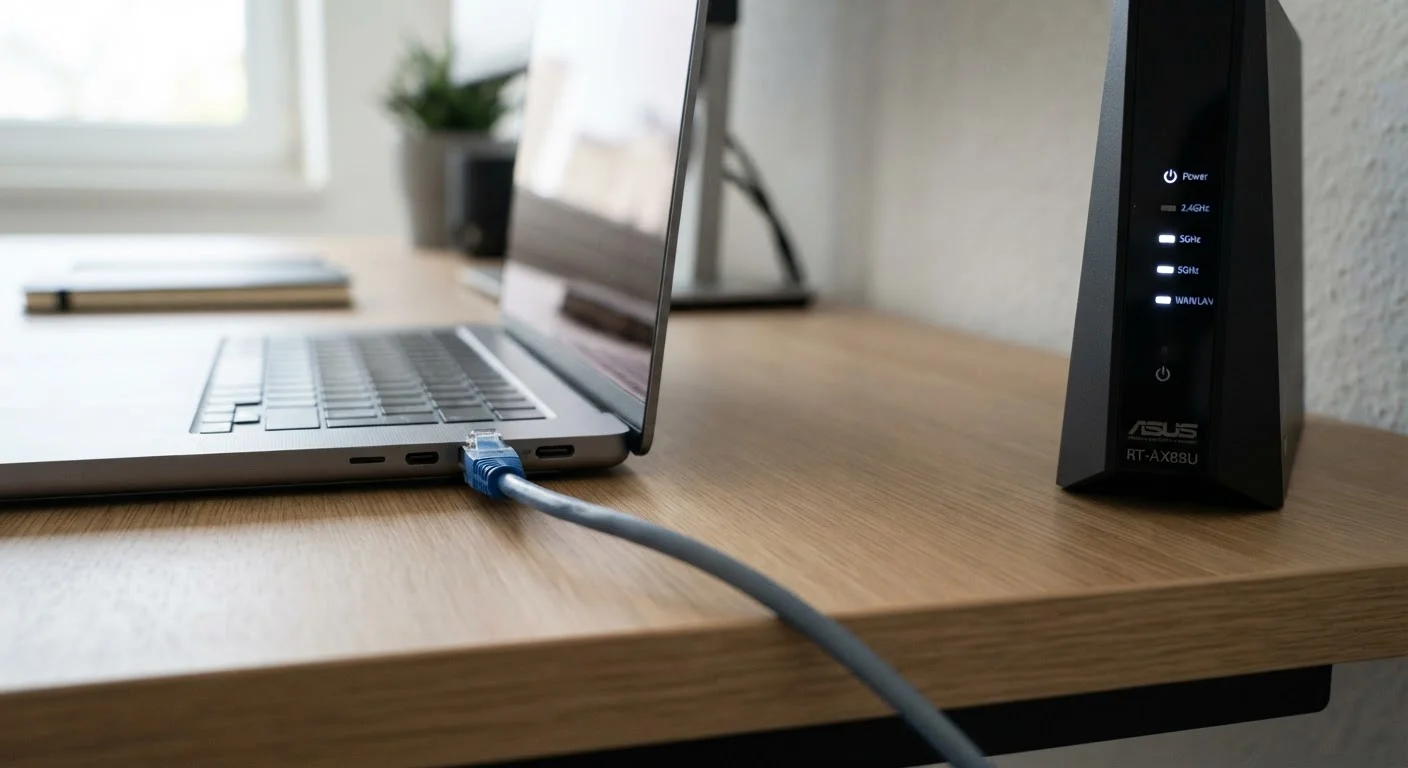
Photo credit: SmartReads.net | Simple Search, Relevant Results
In this article
Wi-Fi is convenient, but a wired connection wins in specific scenarios. Here's how to decide which setup suits your needs.
Key Takeaways
- Ethernet consistently delivers lower latency and more stable speeds than Wi-Fi, especially under load.
- Wi-Fi performs adequately for most everyday tasks but degrades in congested or interference-heavy environments.
- A hybrid approach - wiring critical devices while keeping others on Wi-Fi - often gives the best of both worlds.
- Physical distance, building materials, and neighboring networks all reduce Wi-Fi reliability in ways Ethernet avoids.
- For remote workers on video calls or handling sensitive data, a wired connection is the more dependable choice.
What Actually Separates Wired from Wireless
Wi-Fi and Ethernet both connect you to the internet, but they do so through fundamentally different mechanisms - and those differences have real consequences for performance. Ethernet transmits data over a physical cable using a dedicated, point-to-point channel. Wi-Fi broadcasts radio signals that all nearby devices share, which introduces two unavoidable variables: interference and contention.
Interference comes from overlapping signals - neighboring routers, microwaves, cordless phones, and even building materials like concrete walls or metal framing can attenuate (weaken) a wireless signal. Contention occurs when multiple devices compete for the same wireless channel simultaneously, which reduces available bandwidth for each device. Neither problem exists on a properly run Ethernet cable.
The practical result is that Ethernet connections tend to deliver lower latency - typically single-digit milliseconds on a local network - and more predictable speeds regardless of how many other devices are active. For context, Wi-Fi latency on a congested home network can spike considerably higher, which is noticeable during video calls or real-time applications. See our guide to what actually slows Wi-Fi down for a detailed breakdown of the most common culprits.
| Criterion | Wired Ethernet | Wi-Fi |
|---|---|---|
| Latency | Very low, highly consistent | Low to moderate, variable |
| Speed stability | Steady under full load | Can drop with interference or congestion |
| Setup complexity | Requires physical cabling | Immediate, no cables needed |
| Device mobility | None - device must stay put | Full - works anywhere in range |
| Interference susceptibility | None | Moderate to high in dense environments |
| Security exposure | Lower - no wireless signal to intercept | Higher - signal extends beyond walls |
| Best use case | Workstations, video calls, backups | Mobile devices, IoT, casual browsing |
When Ethernet Delivers a Meaningful Advantage
Not every use case justifies running a cable, but several common professional scenarios genuinely benefit from one. Video conferencing is the clearest example. Calls on platforms like Zoom or Teams are sensitive to both latency and packet loss - the brief moment when a wireless signal drops a data packet. Ethernet eliminates that variable entirely. If dropped audio or frozen video has ever disrupted an important meeting, switching the host machine to a wired connection is one of the most effective fixes available.
Large file transfers and cloud backups are another case where wired consistently wins. Wi-Fi speeds can fluctuate mid-transfer as signal conditions change, leading to longer-than-expected completion times. A direct Ethernet connection maintains steady throughput throughout. And for anyone handling sensitive professional data, there is an additional consideration: a wired connection cannot be passively intercepted by a wireless scanner nearby - removing one layer of exposure that Wi-Fi networks carry by design. Our article on managing congestion across multiple devices explores how to structure a mixed-device home office effectively.
~1 ms
Typical Ethernet local network latency
Gigabit Ethernet over a short cable run routinely delivers sub-5 ms round-trip latency on a local network, compared to Wi-Fi which can vary widely based on environment.
40%+
Wi-Fi throughput drop in congested environments
Studies on dense wireless environments, including apartment buildings and offices, show available Wi-Fi throughput can fall by 40% or more when many networks overlap on the same channel.
1 Gbps
Standard Cat 6 cable maximum speed
Cat 6 Ethernet cabling, the current common standard for home and office installs, supports up to 1 Gbps at distances up to 55 meters, exceeding most residential internet plan speeds.
Where Wi-Fi Holds Its Own
For the majority of everyday tasks - email, web browsing, streaming video, light cloud document editing - modern Wi-Fi is more than adequate. Wi-Fi 6 (802.11ax), now widely available in consumer routers, introduced improvements in how the router handles multiple simultaneous device connections, reducing some of the congestion that plagued earlier standards. If your router and devices both support Wi-Fi 6, performance for typical workloads is genuinely strong.
Wi-Fi's irreplaceable advantage is mobility. Smartphones, tablets, and laptops used in different rooms or outdoor spaces cannot be tethered to a cable. Smart home devices, IoT sensors, and wireless printers are also built around wireless connectivity. Forcing a wired approach onto these devices is impractical or impossible. The realistic answer for most households and home offices is a hybrid setup: Ethernet to fixed, performance-critical devices (desktop workstations, primary streaming hardware, NAS drives), and Wi-Fi for everything mobile or low-demand. This approach is explored further in our home network audit checklist.
Wi-Fi Standards Change - Your Cable Doesn't
Wi-Fi standards evolve rapidly, with Wi-Fi 6 and the emerging Wi-Fi 7 standard offering meaningful improvements over older hardware. However, realizing those gains requires upgrading both your router and your client devices simultaneously. Ethernet, by contrast, uses standards that have remained stable for decades. A Cat 6 cable installed today will still work reliably with future hardware without replacement.
Making the Practical Switch to Ethernet
If you have decided a wired connection makes sense for one or more devices, the setup is simpler than many assume. Most modern routers have multiple Ethernet ports on the back. A standard Cat 6 cable - widely available and capable of supporting speeds up to 1 Gbps over typical home-office distances - is sufficient for almost any residential or small-office need. Cat 6A extends performance to 10 Gbps if your hardware supports it, though this is rarely necessary outside of media production environments.
For longer runs or routing cables through walls, a network switch (a small device that expands the number of available Ethernet ports from your router) can extend your wired network to multiple rooms without replacing any existing equipment. If your ISP's router is far from your workstation, a Powerline adapter - a device that sends network signals over your home's electrical wiring - is a cable-free alternative that delivers Ethernet-like stability without new cable runs, though performance depends on the quality and age of your electrical circuits. For additional context on how wireless alternatives compare, see our comparison of mesh networks and Wi-Fi extenders. Understanding common bandwidth misconceptions can also help you set realistic expectations before changing any hardware.

Author
Technology Editorial Team
Technology Editorial Team is the collective byline for our editorial team and contributor network. Articles published under this byline or an editorial pen name are researched, written, and reviewed according to our editorial standards for clarity, consistency, and independence before publication.
View all articles →