
Two-Factor Authentication Explained: What It Does and What It Doesn't
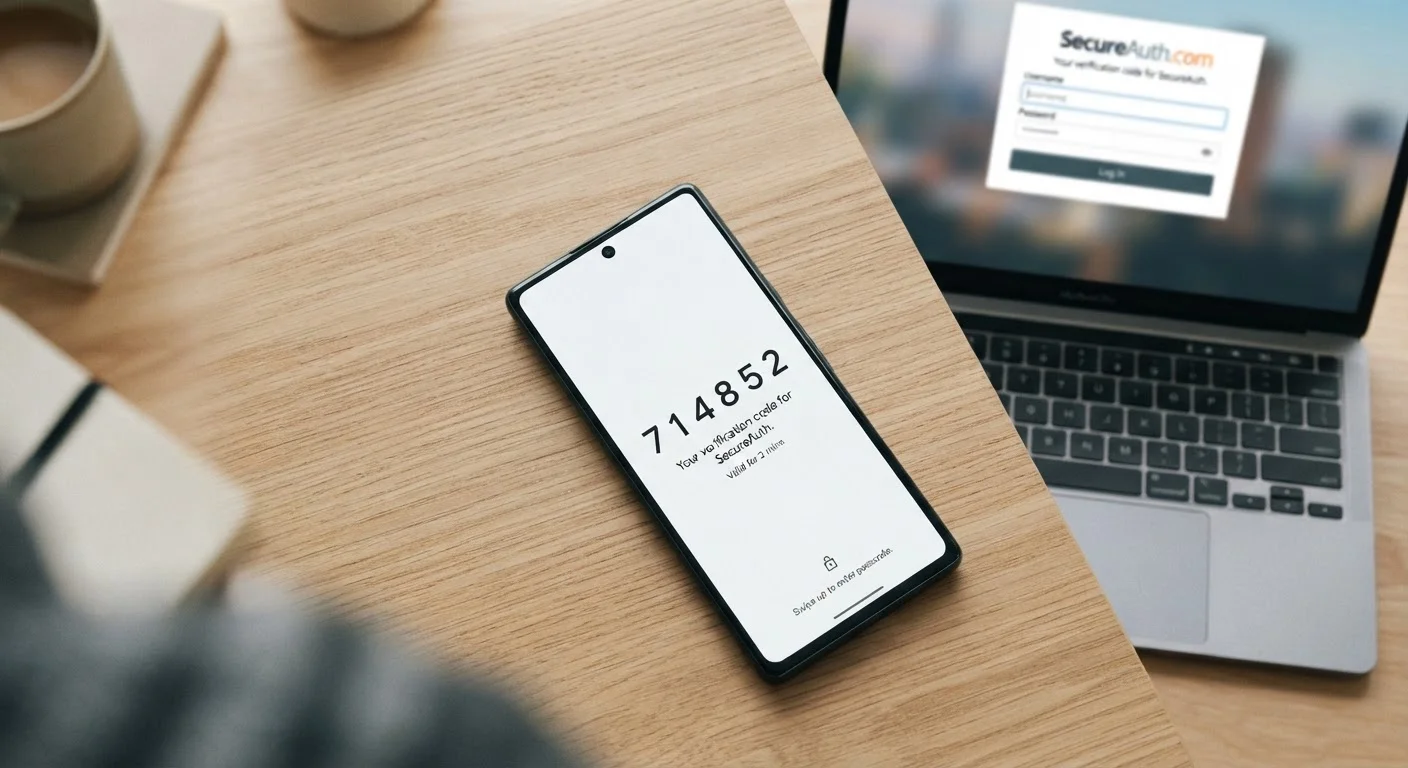
Photo credit: SmartReads.net | Simple Search, Relevant Results
In this article
2FA adds a meaningful layer of security, but it isn't foolproof. Understand how it works, its limits, and which methods offer stronger protection.
Key Takeaways
- 2FA blocks the vast majority of automated account takeover attacks, even when passwords are compromised.
- SMS-based 2FA is convenient but more vulnerable than app-based or hardware key methods.
- Phishing attacks and SIM-swapping can bypass some forms of 2FA entirely.
- Authenticator apps generate time-limited codes offline, making them more secure than SMS codes.
- Hardware security keys offer the strongest protection and are phishing-resistant by design.
- 2FA works best as part of a broader set of security habits, not as a standalone fix.
How Two-Factor Authentication Actually Works
When you log in to an account protected by 2FA, the service validates your password as usual - then pauses and asks you to confirm your identity a second time through a separate channel or device. This second step might be a six-digit code generated by an app on your phone, a push notification you approve, a code texted to your number, or a physical key you plug into your computer.
The core security principle is simple: even if an attacker has your password - through a data breach, phishing email, or brute-force attempt - they still cannot access your account without controlling your second factor. Because the two factors are independent, compromising one doesn't automatically expose the other.
This separation is what gives 2FA its real-world value. Google's internal research found that adding a second factor blocked the vast majority of automated bot attacks and phishing attempts against accounts - a meaningful reduction in risk for a step that takes seconds.
99.9%
Automated attacks blocked by MFA
Microsoft's security research indicates that enabling multi-factor authentication blocks approximately 99.9% of automated account compromise attempts.
~80%
Data breaches involving stolen credentials
Verizon's Data Breach Investigations Report has consistently found that a large share of breaches involve compromised or weak credentials, underscoring why a second layer matters.
The Different Types of 2FA - and How They Compare
Not all 2FA methods are equal. Understanding the differences helps you make a more informed choice when setting up security on your accounts.
- SMS codes: A one-time code is texted to your registered phone number. Widely supported and easy to use, but vulnerable to SIM-swapping - an attack where a fraudster convinces your carrier to transfer your number to their device.
- Authenticator apps: Apps generate time-based, one-time passwords (TOTP) locally on your device, without relying on a network connection. These codes expire every 30 seconds and are far harder to intercept than SMS. Examples of this category include open-standard TOTP apps available across iOS and Android.
- Push notifications: The service sends an approval request directly to an app on your phone. Convenient, but susceptible to "MFA fatigue" attacks, where attackers send repeated prompts hoping you'll approve one accidentally.
- Hardware security keys: Physical devices that plug into a USB port or communicate via NFC. They use public-key cryptography and are inherently phishing-resistant - the key verifies that it's communicating with the legitimate site, not an impostor. This is the strongest commonly available option.
Choose an Authenticator App Over SMS When Possible
If a service gives you the option, select an authenticator app rather than SMS as your second factor. App-generated codes are created locally on your device, never transmitted over the phone network, and are immune to SIM-swapping. Setup usually takes under two minutes and works the same way across most major services.
What 2FA Doesn't Protect Against
2FA is a meaningful upgrade to account security, but it has limits that are important to understand honestly.
Real-time phishing: Sophisticated phishing toolkits can sit between you and a legitimate site, relaying your credentials and your 2FA code live to the attacker. The code is valid for only 30 seconds, but that's enough time to use it. This attack vector works against SMS and authenticator-based 2FA - but not against hardware keys, which verify the site's identity before responding.
SIM-swapping: If an attacker successfully impersonates you to your mobile carrier and reassigns your phone number, all SMS-based 2FA codes go to them. This attack has been used to access financial accounts and email. Switching to app-based or hardware 2FA eliminates this risk entirely.
Malware on your device: If your device is compromised, an attacker may be able to read codes directly from your screen or intercept approvals. 2FA does not substitute for keeping your devices free of malicious software.
For a fuller picture of account security beyond any single tool, building safer online habits lays out the foundational practices that work across every platform.
Hardware Keys Have a Learning Curve
Hardware security keys are the most phishing-resistant option available to consumers, but they require setup on each account individually and mean carrying a physical device. They're particularly well-suited for high-value targets or anyone who handles sensitive professional data. For most general users, an authenticator app provides strong protection with less friction.
Putting 2FA Into Practice
The most effective approach is to enable 2FA on every account that offers it, prioritizing accounts with the highest stakes: email, banking, and any account linked to payment information. Email is especially critical - access to your inbox often enables password resets on every other account you own.
When you set up 2FA, save your backup codes in a secure location. These are one-use recovery codes provided at enrollment, and they're your safety net if you lose your primary second factor. Treat them like a physical key: store them somewhere private and accessible only to you.
For accounts that offer a choice, authenticator apps represent the practical sweet spot between security and convenience for most users. Hardware keys are worth considering for high-value accounts if you're comfortable managing a physical device.
To assess your overall account security posture, the digital security audit checklist walks through the specific steps worth taking across your accounts and devices. And if you're reconsidering how you store passwords alongside this upgrade, understanding how password managers differ from browser-saved passwords is a useful companion read.
Frequently Asked Questions

Author
Technology Editorial Team
Technology Editorial Team is the collective byline for our editorial team and contributor network. Articles published under this byline or an editorial pen name are researched, written, and reviewed according to our editorial standards for clarity, consistency, and independence before publication.
View all articles →